
I’ve been a loyal Zapier user since 2017. I’ve listed it at the top of my “favorite automation software” guide. It has run more and more of my business for the better part of a decade. A year ago, I would have told everyone they should be using Zapier.
But with AI coding tools, newer visual automations like Make.com and n8n.com, plus some huge pricing increases and regrettable customer service missteps, I’m questioning everything when it comes to Zapier.
In this article, I’m going to share my full Zapier review (and sorry in advance if I spill a little tea).
First, What Is Zapier?
Zapier is an automation and integration platform that connects all of your applications and easily makes them work together.
For example, say you have a survey form that gets customer information. But you want to view all that information in a spreadsheet. Plus, you want to make sure you’re not pestering your email newsletter subscribers to fill out the survey if they’ve already done it. And you also want to add the people who answer that survey in a particular way to an automated webinar that will solve their problems (and upsell them with a 3-part email sequence plus SMS reminder).
You can do all of that (and way more) in just a few steps.
Zapier, like Make.com and n8n, connects other apps and allows them to work together through a friendly, visual, no-code interface.
Why Zapier?
When I first got started with automation, there were only visual automation builders: Zapier and IFTTT (if this, then that). IFTTT focused mostly on the internet of things, not my marketing automation needs, so I started learning Zapier.
Since then I’ve built hundreds of Zaps, both for my own projects and for my clients, including everything from 100+ step automations that have run thousands of times to 2-step automations that just move data from one spreadsheet to another.
I love Zapier.
I should say loved.
Because with Claude Code and other AI tools, I can code custom integrations and API applications that do everything Zapier can do and more for pennies.
And even if I have to go back to a visual automation builder, with Make.com I can get access to far more integrations (including Facebook Ads API and more) for about half the price.
But the real thing that ended my relationship with Zapier wasn’t the new tools. It was realizing they had quietly overcharged me $4,043 and refused to refund it.
How Zapier Increased My Bill by 300%
I’ve had a paid Zapier account since 2017, and since I was running a growing portion of my business on it, I felt comfortable paying for one of their most expensive (but still fairly reasonable) plans, which was at the time in the $89/mo range. Even when that increased to $225/mo, I was happy to pay it for the value I was receiving.
However, as they scaled and rolled out more features for super users, my $225/mo plan became no longer their top plan. Which is fine. Good for them for finding clients who can pay $1,000+ a month for basic internet architecture.
The problem was that after a few years, my plan went from “Legacy” to “retired,” and the only notice I got was 2 plain emails, 3 months apart, telling me my plan was going from $225 per month to $898 per month. Both got lost in my inbox, and I didn’t find them until months and $4,000+ later.
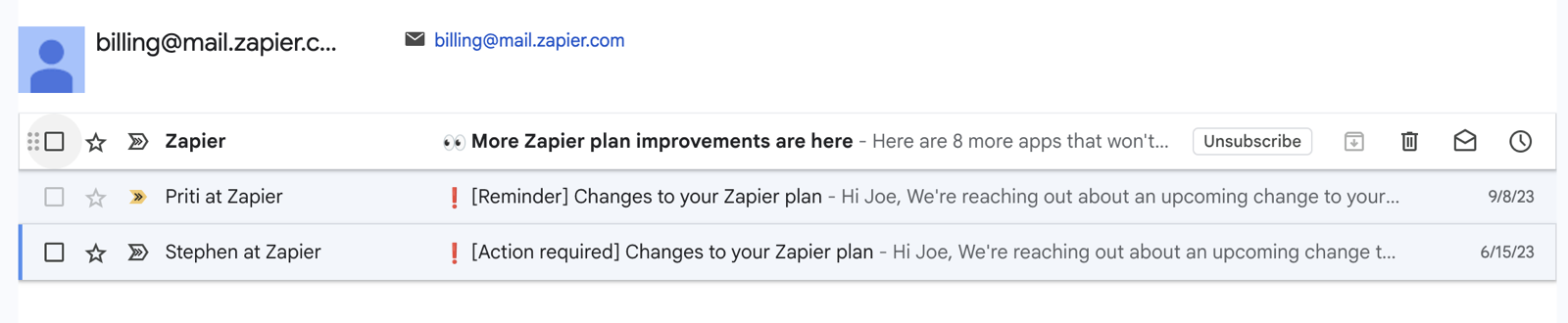
The only two emails Zapier sent about the change, three months apart.
I remember when my free version of Google Suite went from $0 per user to $6 per user. They sent me emails for years, there were giant red banners every time I logged in, and I still had to update my credit card to keep access.
But when Zapier auto-renewed my plan, increasing the cost by over $600 per month, they sent 2 emails.
I completely missed them. With 5,000+ tasks being run per month and over 100 Zaps, I got a lot of emails from Zapier. Most of them I safely ignored, a few I had to forward to someone on my team. I also missed the next 6 email invoices about the $898 charge on my card (I thought I must be on the annual plan).
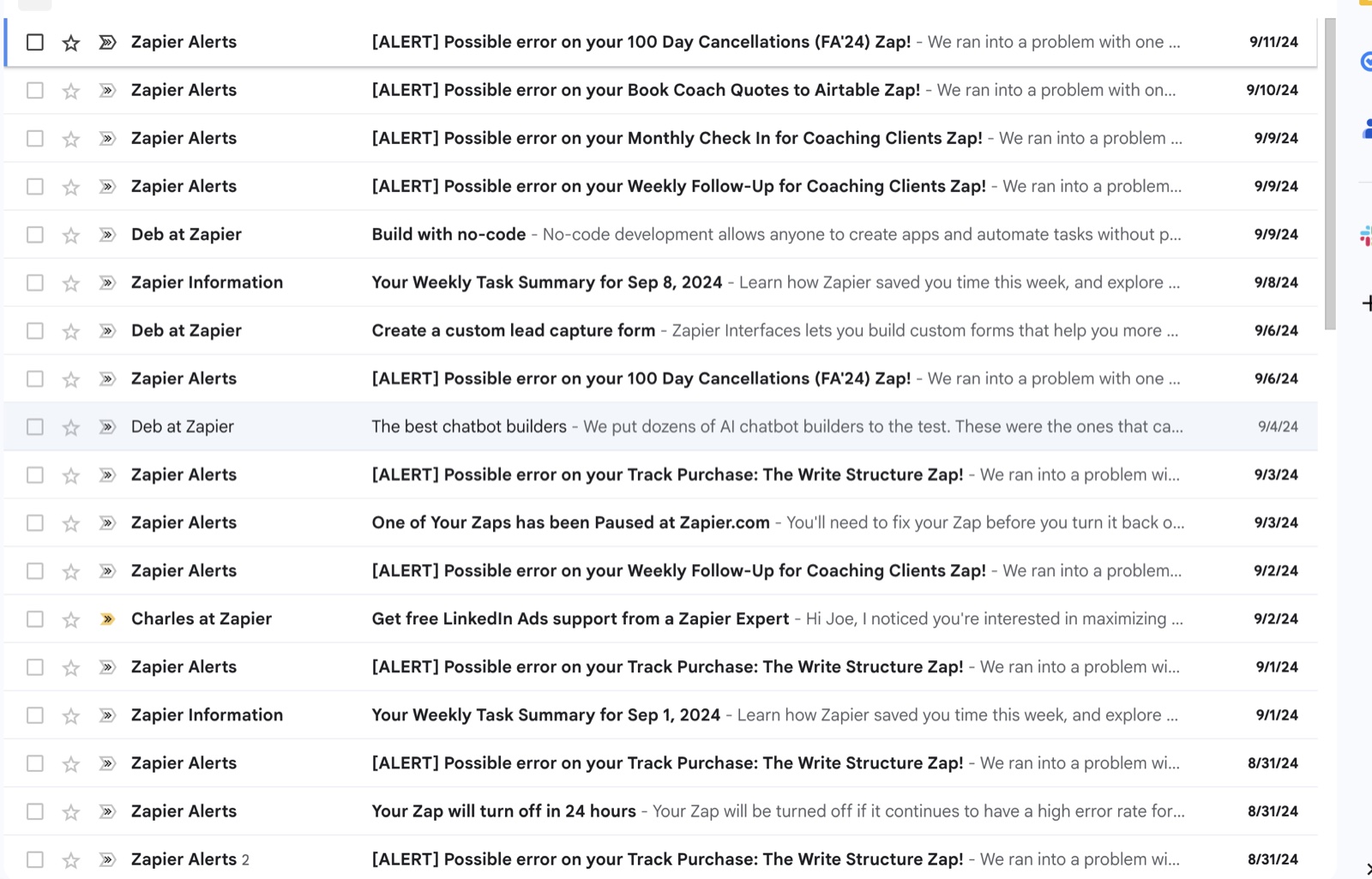
A typical few weeks of Zapier email: weekly summaries, error alerts, and marketing.
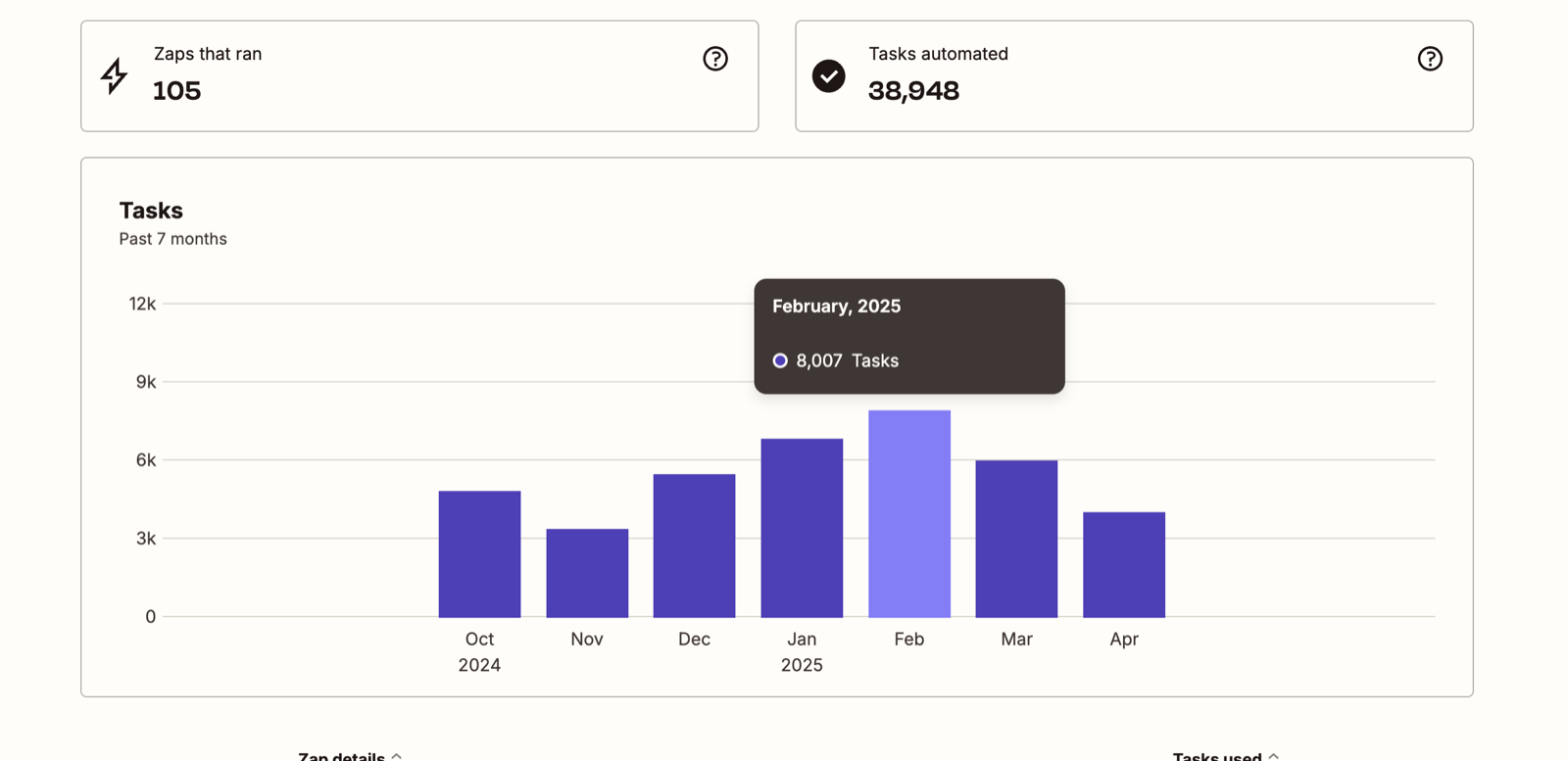
105 Zaps and about 5,500 tasks a month, on a plan built for 100,000.
And so by the time I finally realized I’d been charged an extra $4,043, it was months later.
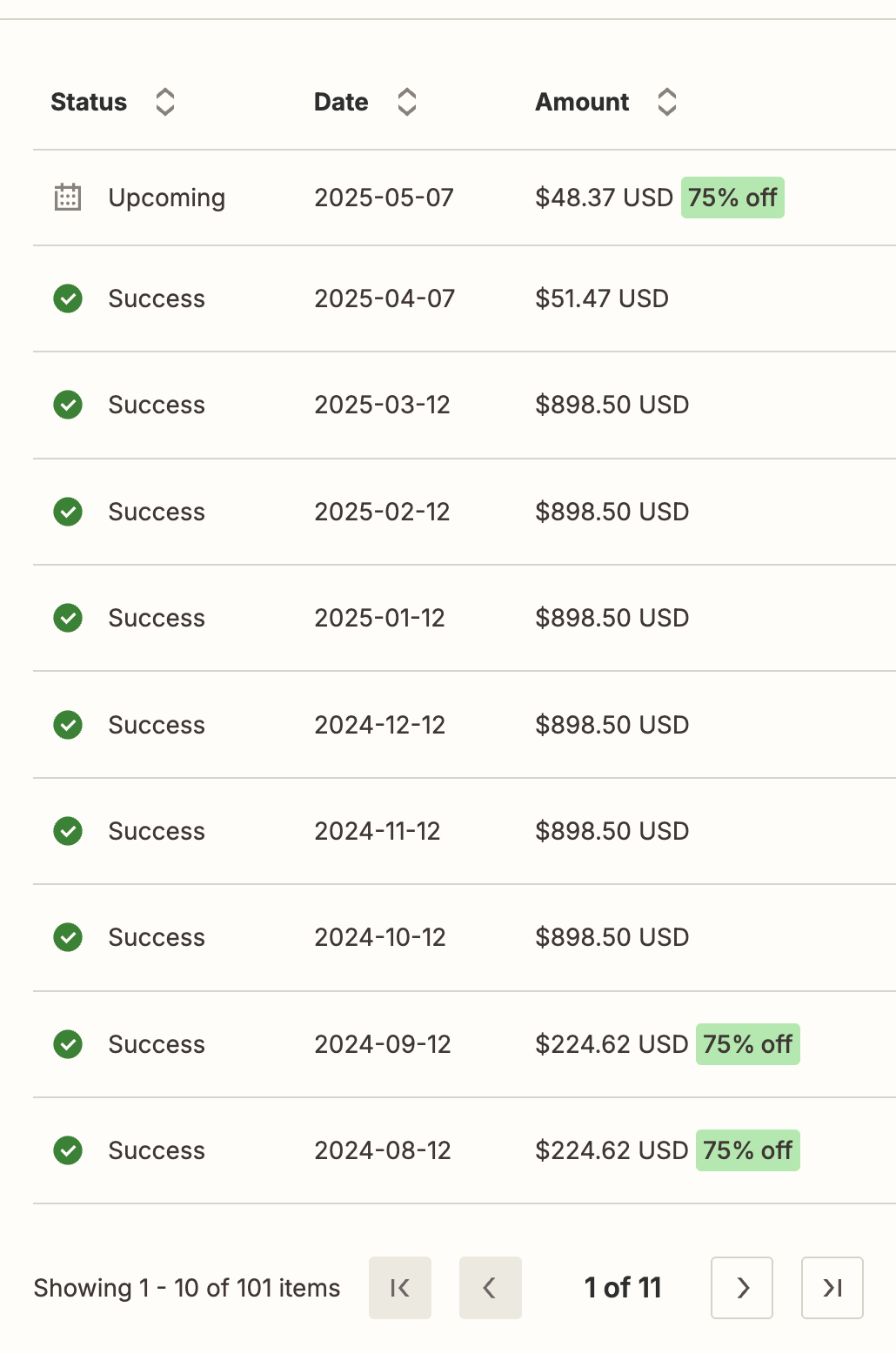
My billing history: $224.62 a month, then $898.50.
Yes, a lot of that is on me. I should’ve seen it early. My bookkeeper should’ve seen it earlier (although those transactions are AUTOMATED, which is sort of the whole point!). I didn’t. Fine. Zapier has great customer support, I thought. I’m sure they’ll help me.
16 emails later and the offer of a 75% discount (amounting to about $1,000, which is nice but not $4,000+), I’m wondering what happened to Zapier’s amazing customer service.
Should SaaS Companies Auto-Increase Your Cost Without Warning?
What I experienced is what the FTC calls a “negative option”:
A term or condition that allows a seller to interpret a customer’s silence, or failure to take an affirmative action, as acceptance of an offer
When Zapier increased my plan 300% without my consent, they were interpreting my silence as the acceptance of their offer.
The FTC discourages this kind of tactic in a variety of ways. But whether or not they broke the law, is it good business practice to raise an 8-year customer’s bill by $674 a month? Would you do that if you wanted to grow your business?
Would you do it when you’re competing with up-and-coming competitors and when software is so much easier to develop?
I used to need Zapier. They were the only game in town!
But now that they aren’t even the best game in town, is it worth getting treated like that?
How I Replaced and Cancelled Zapier
I made it a personal goal to replace each one of my 100+ Zaps with code-based automations.
I used Claude Code and Cloudflare Workers to build and host my personal APIs, and then gathered the dozens of API keys and tokens from all of my services.
I downloaded the JSON backup files of all my Zaps and handed them to Claude Code to rebuild them. It still took months.
To get your own backup, open Zapier’s Settings, go to Security and data, and click Export my data under Data management. Zapier emails you a link to a ZIP file, and inside is Zapfile.json, with every Zap you haven’t deleted.
But a few weeks ago I finally turned off my last Zaps, clicked “Cancel,” and moved to Zapier’s free plan. It felt amazing.
I’ll create a guide on how you can build your own code-based API automations with Claude Code and Cloudflare Workers soon.
Zapier Pros and Cons
Zapier still might have a place in your automation workflow, despite all of these issues. Here are the pros and cons of Zapier.
Pros
- It’s the easiest way to connect apps. Zapier’s visual builder is still the least technical way to connect thousands of apps together.
- It connects apps that are hard to reach. Some apps don’t have a simple API, or they limit it, and often Zapier already has an integration. QuickBooks Online has an API, for example, but getting access to it is a pain. In Zapier, it’s a few clicks.
- Error alerts and run history are built in. When a step fails, Zapier tells you, and you can replay it. You have to build this yourself in an api.
Cons
- You can’t trust their customer service anymore. When a company is willing to quadruple your cost with little warning and refuse to refund it, they’ve lost my trust.
- It’s expensive, and getting more so. Make costs about half as much, and building automations yourself is almost free: a $5/month Cloudflare Workers plan, plus a Claude subscription you may already have.
- Some apps are missing. Make has integrations Zapier doesn’t, like the Facebook Ads API.
My Final Verdict of Zapier
I think Zapier can still have a place in your automation workflow, but I’ve lost confidence that they can be trusted to be the main automation tool you use.
Their competitors (mostly Make.com, but also n8n) are as good as them in some cases and better in others, but often half the cost. You can do many of the same things for free or nearly free with code written by Claude Code or Codex.
And if your legacy plan is going to increase by 300% with almost no warning, why risk it?
But how about you? Do you use Zapier? Or do you prefer Make or another tool? Let me know in the comments!